Getting started
Your first scan
From creating an account to a barcode in your inventory, in about five minutes, including what the free plan does and does not include.
Create an account
Sign in with Google, with Apple, or with your email address and a magic link. Signup is open (no approval step) and the account you create works on the phone and in the browser.
The free plan includes 100 scans a month, which is enough to count a shelf and decide whether the workflow fits. Once you are signed in you can also claim Field Pro free until 4 December 2026, one tap, no card. Team is free for the same window and is claimed with a single-use founding code; ask us for one. There is nothing to cancel because billing is not live yet, and if the window closes before billing is ready your account simply becomes a free account again. Nothing is deleted.
Scan your first barcode
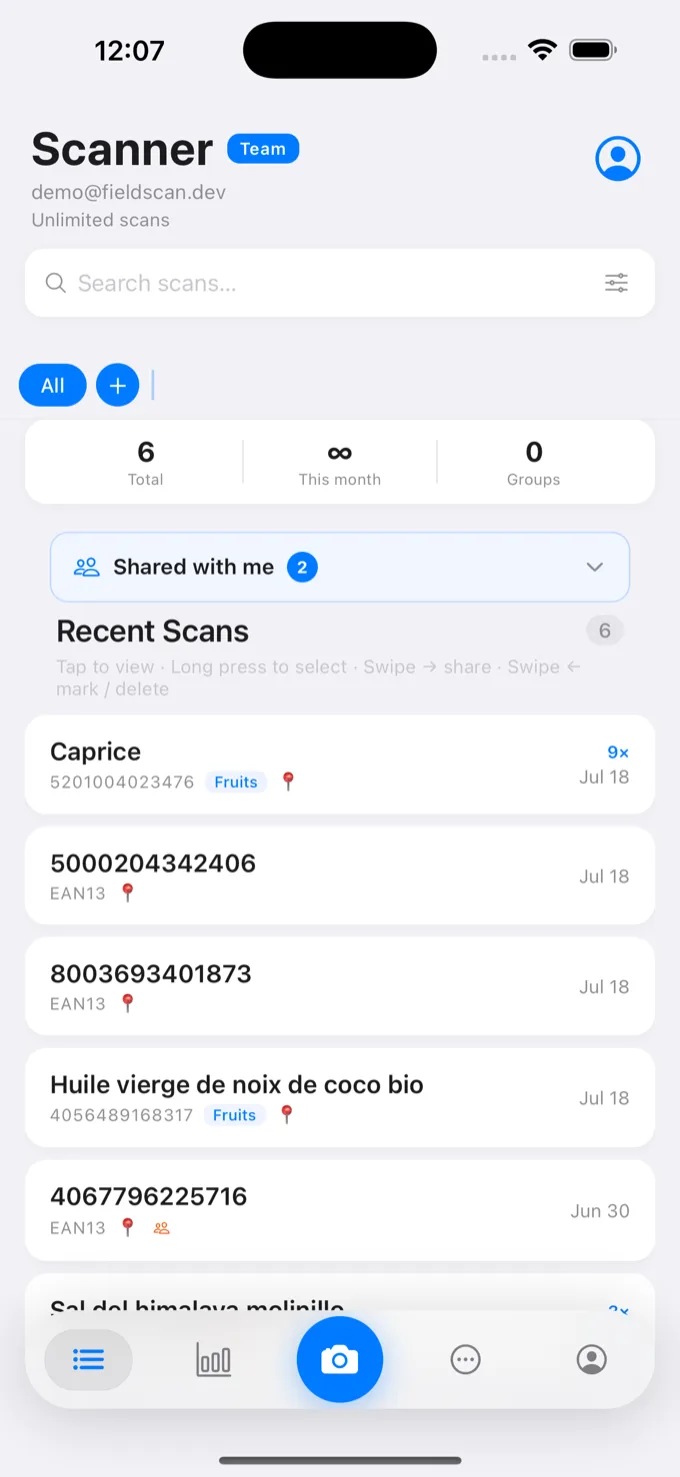
Scanning happens on the phone (iOS or Android) where the camera is. Open the scanner, point it at any product barcode, and listen for the beep. FieldScan reads the nine common one-dimensional symbologies: EAN-13, EAN-8, UPC-A, UPC-E, Code 128, Code 39, Code 93, Codabar and ITF-14.
Each accepted scan records:
- the barcode and its symbology
- the moment of capture: even if the scan syncs later, the timestamp is when you pointed the camera, not when the network came back
- where you were, as GPS coordinates, plus a free-text place name you can add
- a scan count: pointing the camera at the same barcode again raises the count on that record instead of creating a duplicate
See it in the browser
Open the web dashboard and your scan is there. The browser is the back office (history, groups, exports, analytics, team) and it deliberately never asks for camera access, because scanning stays on the phone where the optics are.
| Barcode | Name | Category | Status | Location | Added by | Scans |
|---|---|---|---|---|---|---|
| 5901234123457 | Blue nitrile gloves, L | Consumables | Reviewed | Aisle 4, Bay 2 | R. Okafor | 3 |
| 4006381333931 | Thermal roll 80mm | Packaging | In Progress | Aisle 1, Bay 7 | M. Reiter | 12 |
| 8712345678906 | Safety goggles, clear | PPE | New | Cage B | R. Okafor | 1 |
| 0012345600012 | Cable tie 200mm (bag) | Hardware | Reviewed | Aisle 9, Bay 3 | J. Vance | 27 |
| 3057640100178 | Degreaser 5L | Chemicals | Archived | Store room | M. Reiter | 2 |
Where to go next
- Organize what you scan with groups, the organizing unit everything else builds on.
- Working somewhere with no signal? Offline scanning explains exactly what is captured and when it syncs.
- Getting data out is the whole point: export fields and formats.